Download VS Code — the free editor
This is the window everything runs inside. Go to code.visualstudio.com, click the big Download button for your computer (Mac or Windows), and run the installer like any other app. It's free.
Open Visual Studio Code
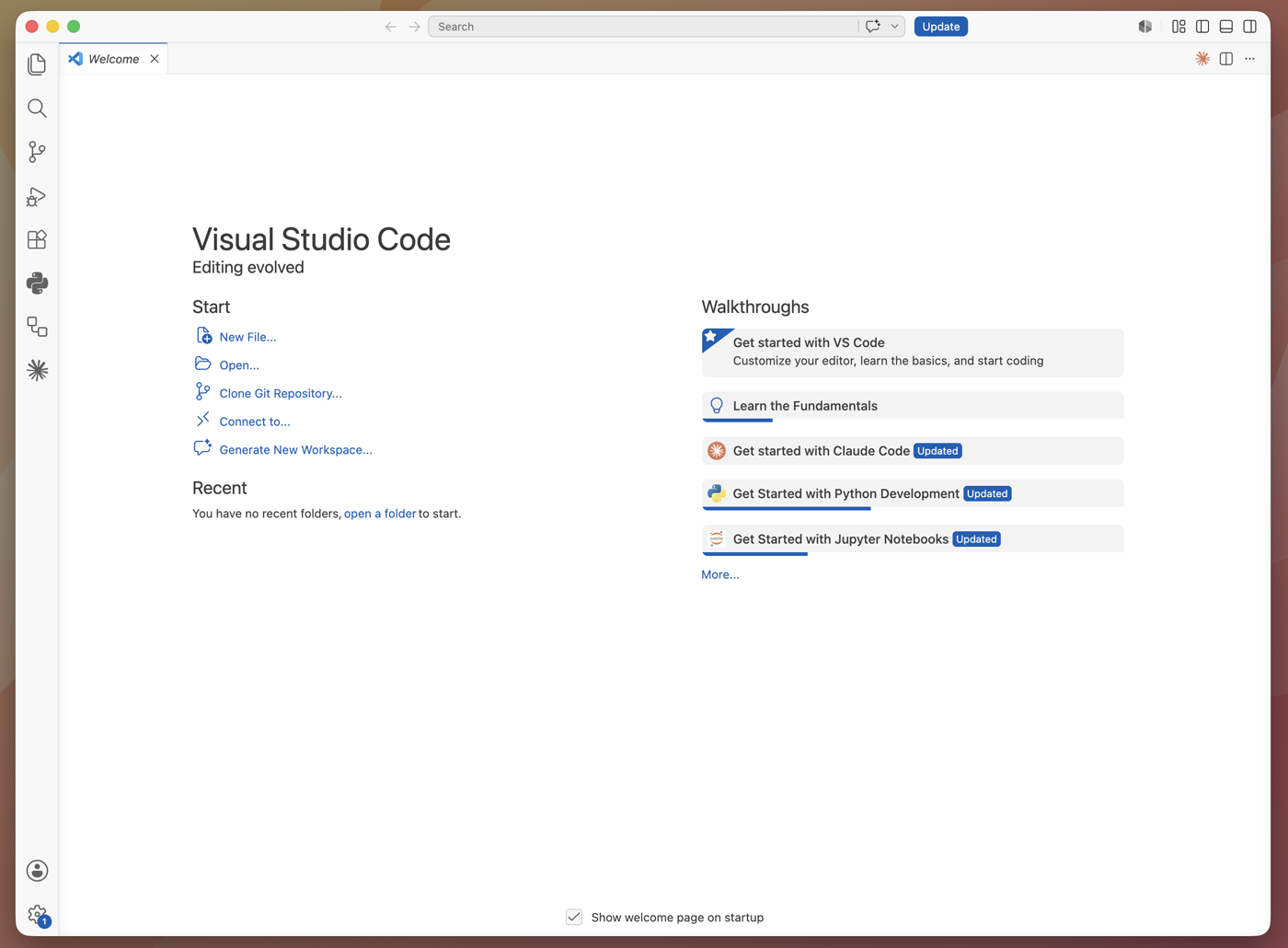
Open it like any other app — from your Applications folder on Mac or the Start menu on Windows. Once it opens, it'll look like this:
Open the Extensions panel
In the thin bar down the left side of VS Code, click the Extensions icon (four little squares). This is the add-ons store built into the editor.
Shortcut: Cmd+Shift+X on Mac, Ctrl+Shift+X on Windows.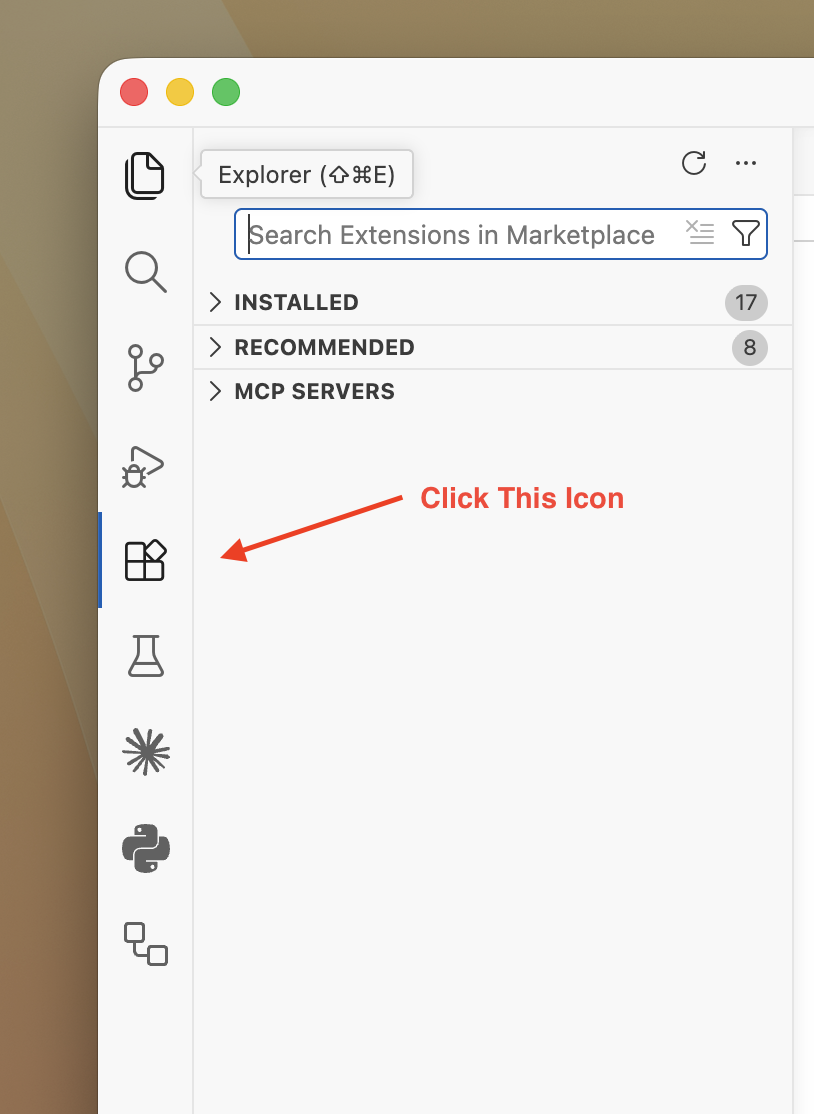
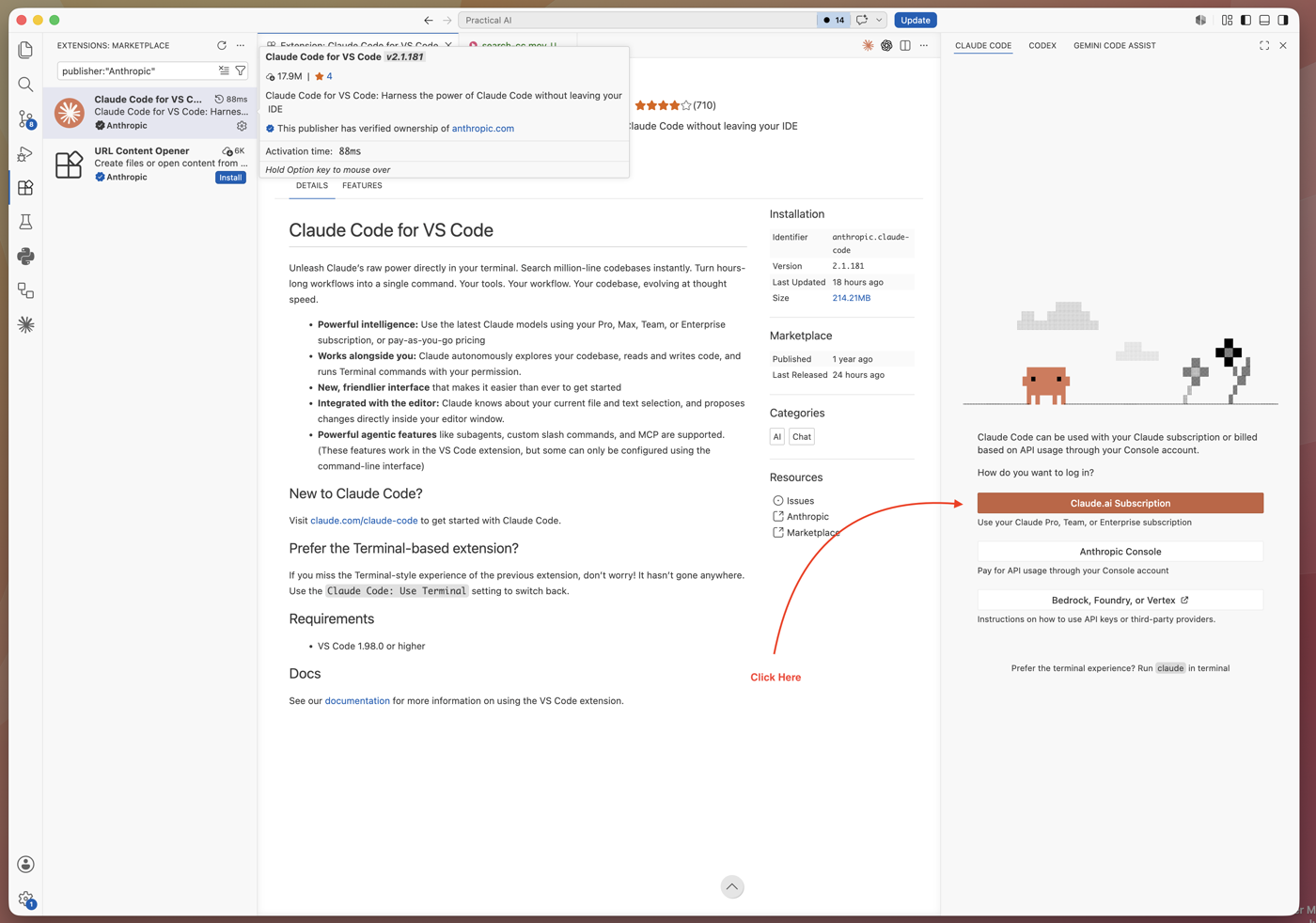
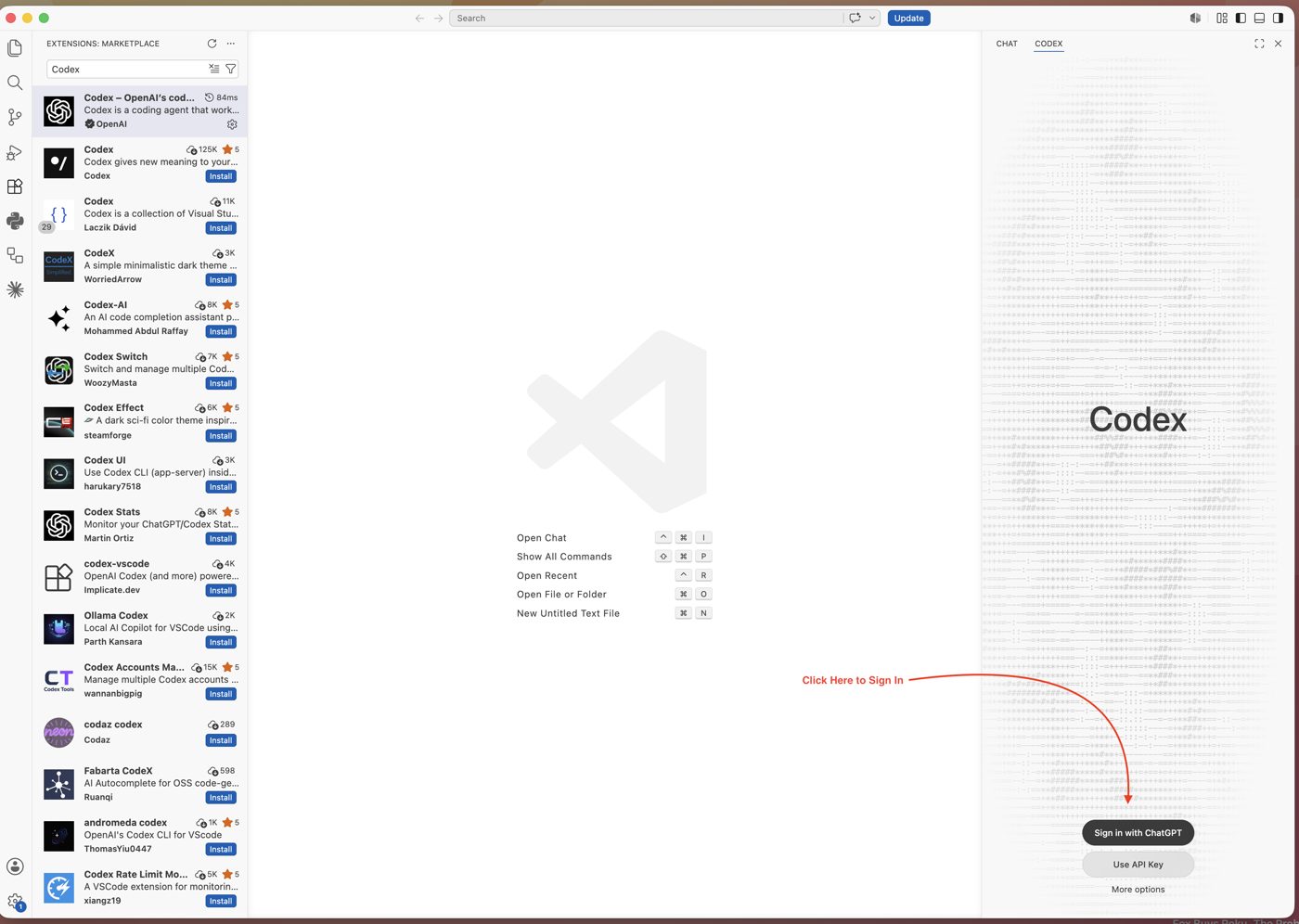
Search "Claude Code" and install it Search "Codex" and install it
In the search box at the top, type Claude Code. Pick the one published by Anthropic, then click Install. In the search box at the top, type Codex. Pick the official one published by OpenAI (it may be listed under the OpenAI / ChatGPT name), then click Install.
Pin it to the side so it's always there
By default the panel can come and go. Let's keep it in view: click the Secondary Side Bar button in the top-right of VS Code, then right-click the bar that opens and choose Claude Code. Now it lives on the right for good. By default the panel can come and go. Let's keep it in view: click the Secondary Side Bar button in the top-right of VS Code, then right-click the bar that opens and choose Codex. Now it lives on the right for good.
Sign in with the account you already have
Hit the orange Sign in button in the panel — it'll take you to Claude to log in and authorize the app. No card, no API key — your paid Claude plan already includes it. The first time you open it, it asks you to sign in. Click Sign in and finish in your browser using your ChatGPT account. No card, no extra setup — your paid ChatGPT plan already includes it.
Open it and say hi
You're already signed in, so the panel's ready. Type something simple like "hello, are you working?" — if it answers back, you're all set. Open the Codex panel from its icon, then type something simple like "hello, are you working?" If it answers, you're set.